How to Enable Keystrokes and Mouse Clicks
Follow the steps below to enable Keystrokes and Mouse Clicks under the Administration module:
Step 1:
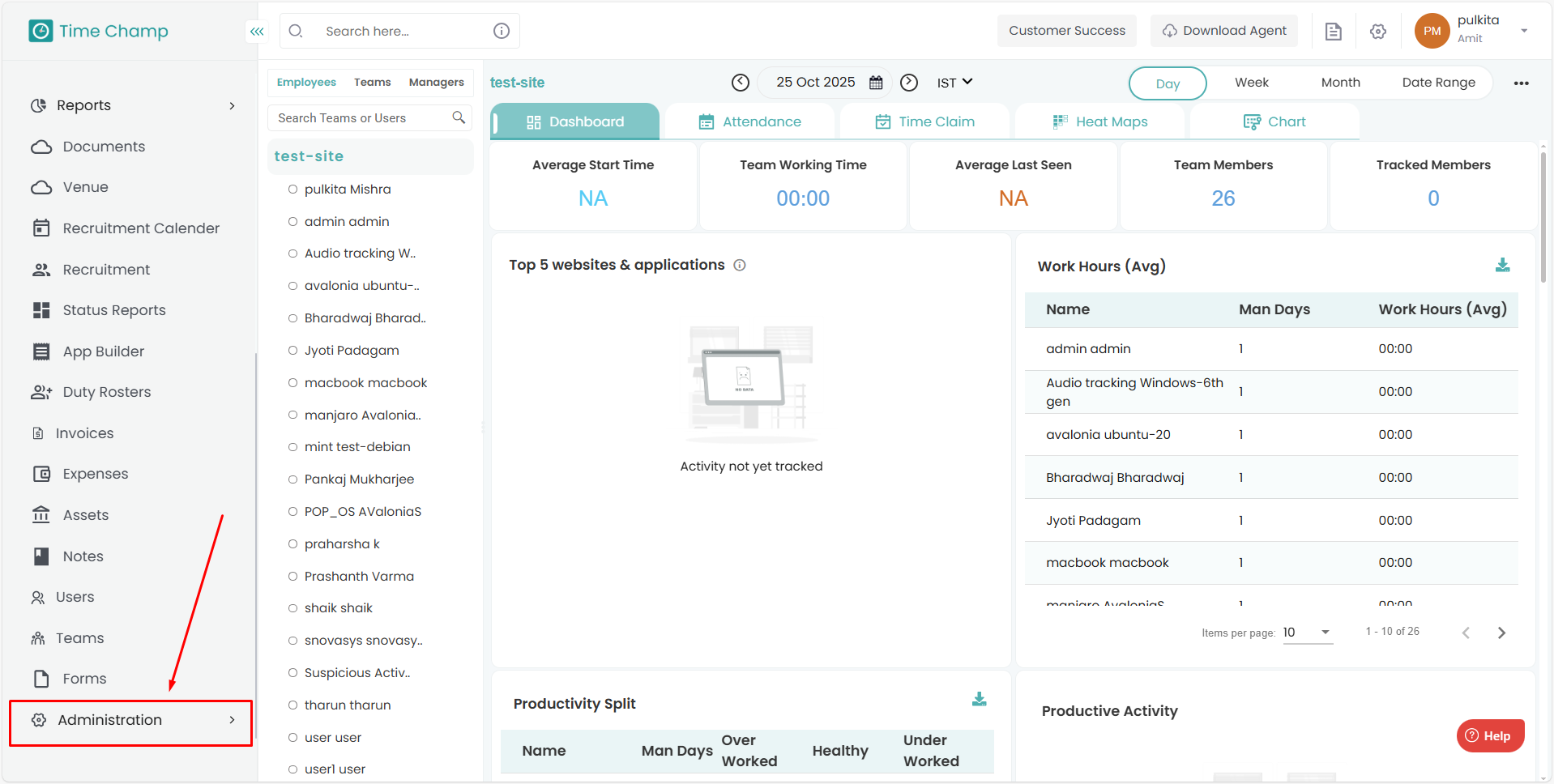
Log in to your Time Champ account.
From the left-hand menu, click on the Administration module.
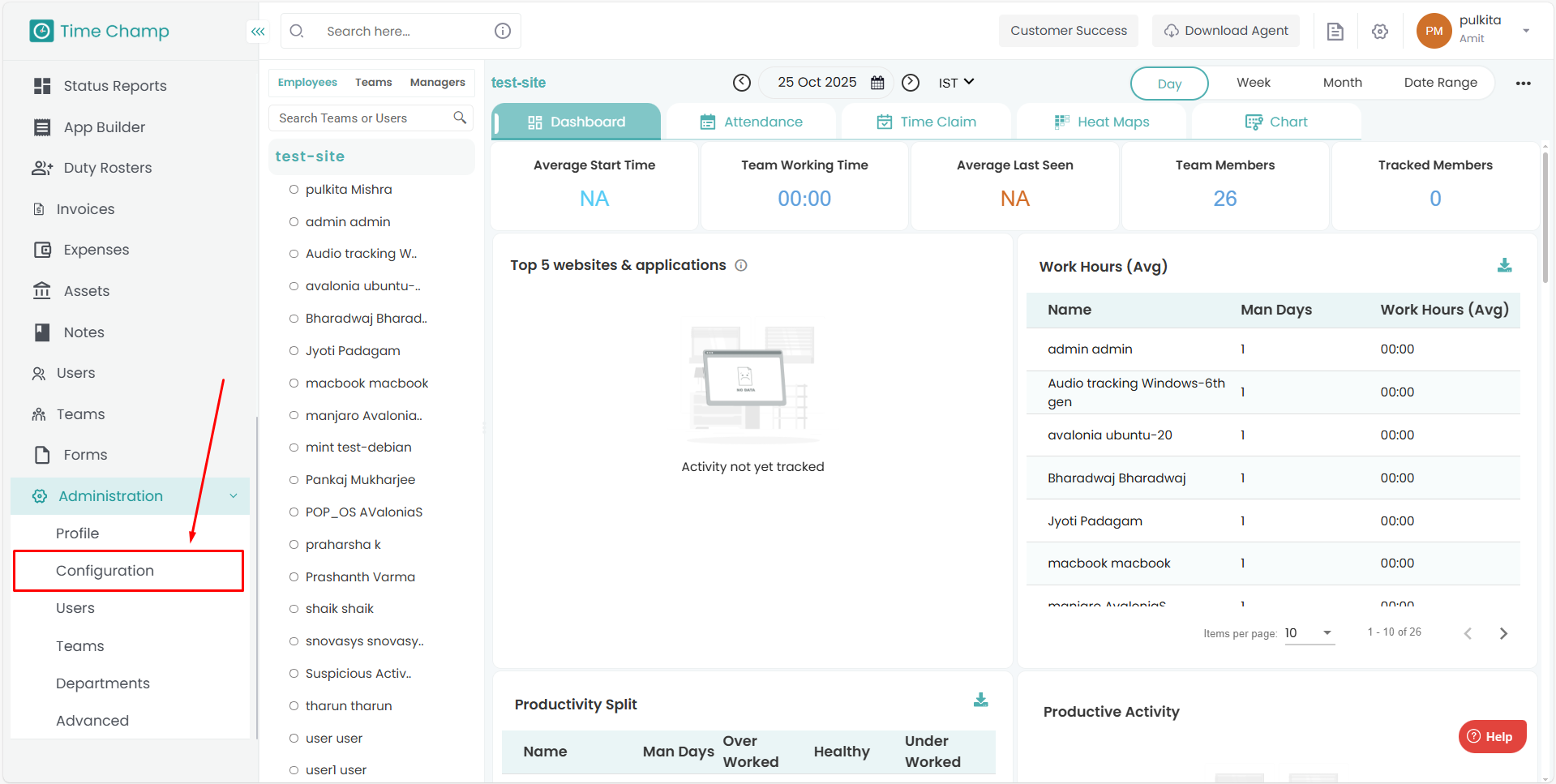
Step 2:
Under Administration, click on Configurations.
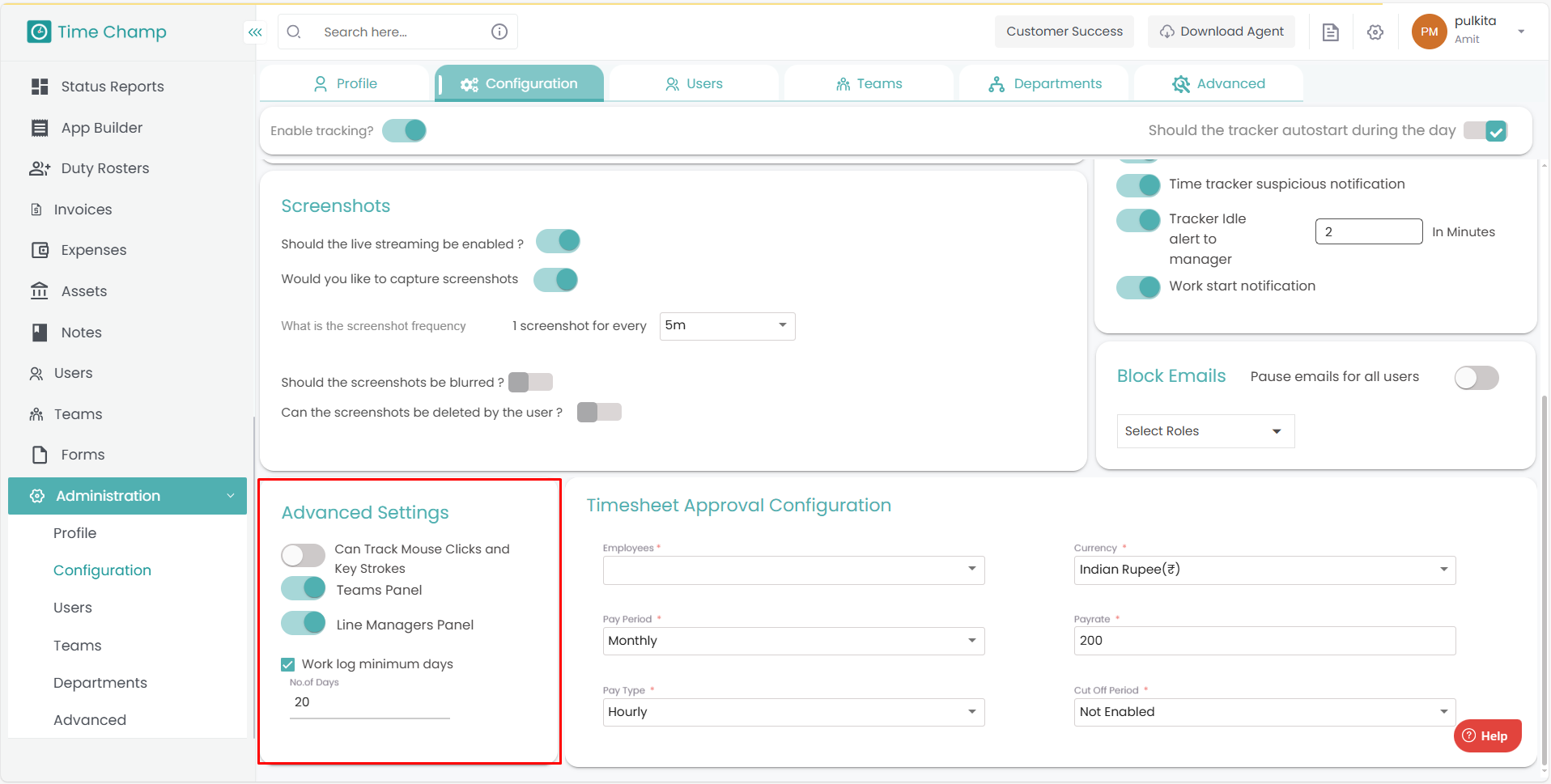
Step 3:
In the Advanced Settings section, you will find the option to enable Keystrokes and Mouse Clicks tracking.
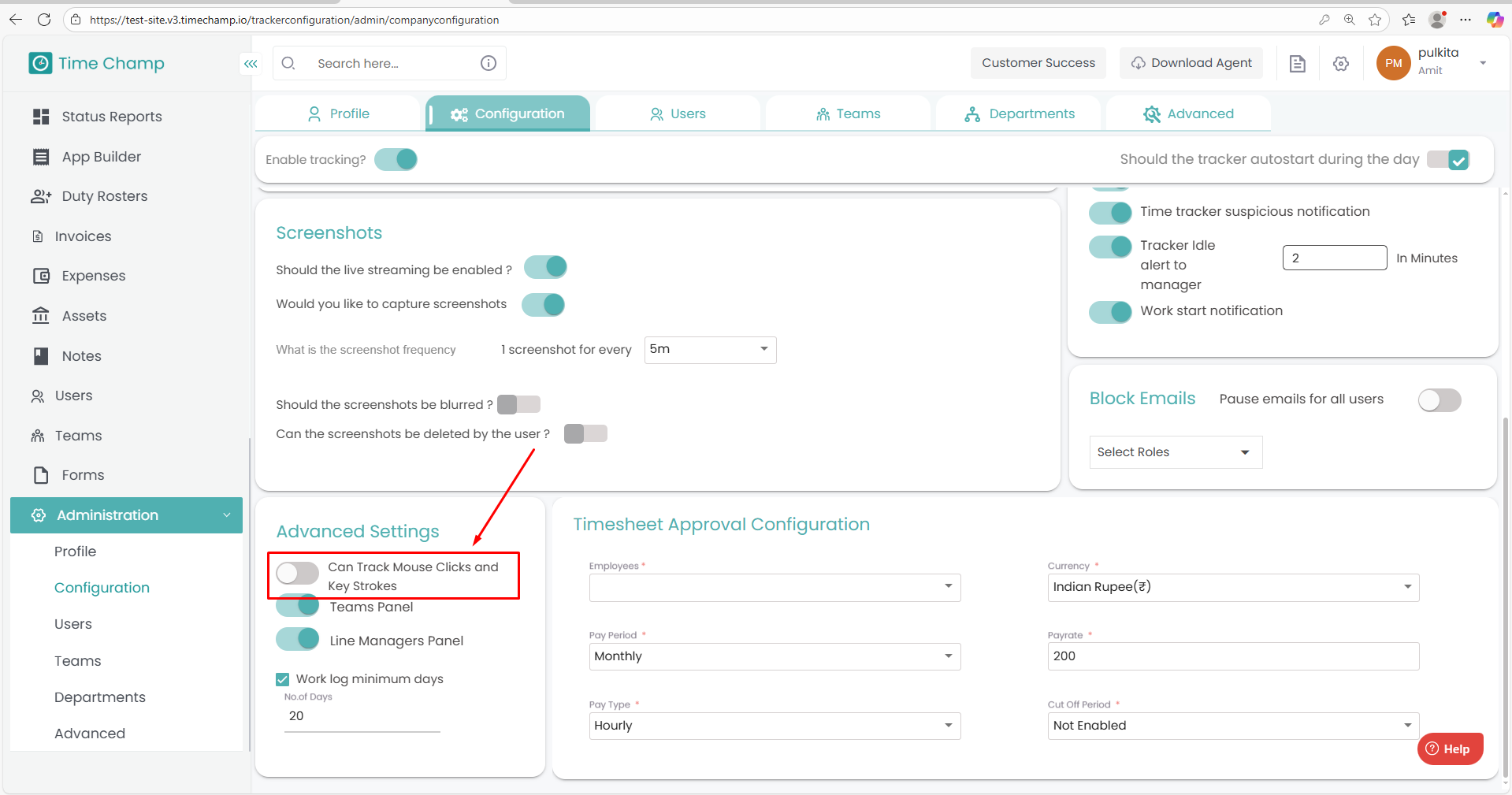
Step 4:
Turn on the toggle to enable Keystrokes and Mouse Clicks tracking.
Step 1:
Log in to your Time Champ account.
From the left-hand menu, click on the Administration module.
Step 2:
Under Administration, click on Configurations.
Step 3:
In the Advanced Settings section, you will find the option to enable Keystrokes and Mouse Clicks tracking.
Step 4:
Turn on the toggle to enable Keystrokes and Mouse Clicks tracking.
Related Articles
How to edit Existing users and Enable Attendance tracking
Follow the steps below to edit user details and enable attendance tracking under the Administration module: Step 1: Log in to your Time Champ account. From the left-hand menu, click on the Administration module. Step 2: Under the Administration ...How to View Activity Levels
Follow the steps below to navigate and view Activity Levels under the Monitoring section: Step 1: Log in to your Time Champ account. From the left-hand menu, click on Monitoring. Step 2: Under Monitoring, click on Activity Levels. In this section, ...How to View Key Strokes
Follow the steps below to navigate and view Keystrokes under the Monitoring section: Step 1: Log in to your Time Champ account. From the left-hand menu, click on Monitoring. Step 2: Under Monitoring, click on Keystrokes. In this section, you can view ...How to Configure the Screen Recordings
Follow the steps below to configure and schedule screen recordings: Step 1: Open the Time Champ site and log in using your Username and Password. Once logged in, go to the bottom-left corner of the dashboard Click on Administration. Under ...How to Configure the Break Options
Follow the steps below to configure the Break Options in the Time Champ portal: Step 1: Open the Time Champ site and log in using your Username and Password. Once logged in, navigate to the bottom-left corner of the dashboard. Click on ...