How to edit Existing users and Enable Attendance tracking
Follow the steps below to edit user details and enable attendance tracking under the Administration module:
Step 1:
Log in to your Time Champ account.
Step 1:
Log in to your Time Champ account.
From the left-hand menu, click on the Administration module.
Step 2:
Under the Administration module, click on Users.
Under the Administration module, click on Users.
Step 3:
Click on the Edit option beside the user’s name whose details you want to modify.
Step 4:
Make the required changes in the user’s profile.
Make the required changes in the user’s profile.
Click on Save to apply the updates.
Step 5:
Ensure that the option “Mark member attendance using tracking data” is enabled.
This setting allows the system to automatically track and record the employee’s attendance based on their activity data.
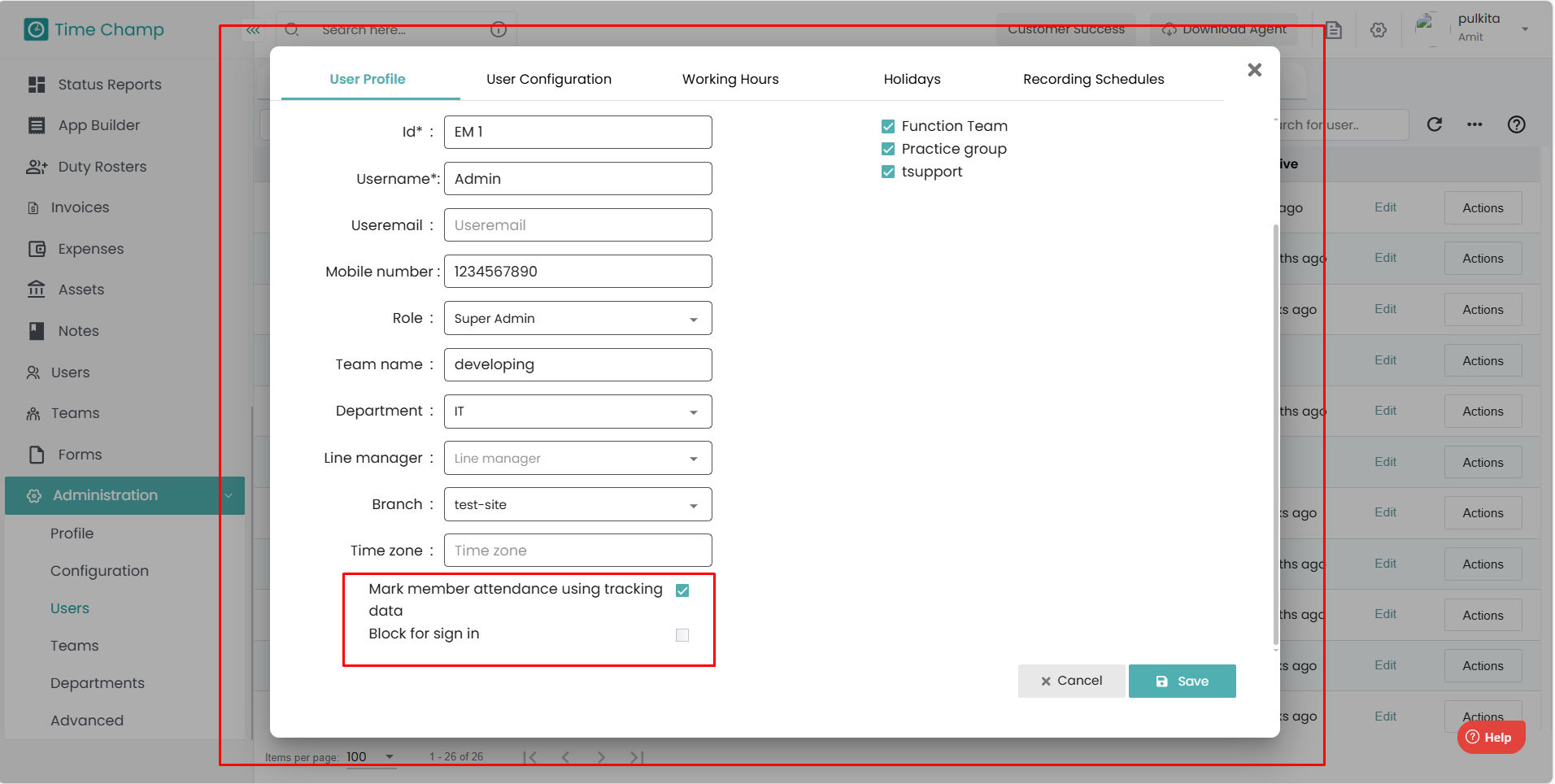
Ensure that the option “Mark member attendance using tracking data” is enabled.
This setting allows the system to automatically track and record the employee’s attendance based on their activity data.
Related Articles
How to Edit time in Attendance
Follow the steps below to edit the time of a user in the Attendance section of the Time Champ application. Step 1: Log in to your Time Champ account using your credentials. Step 2: Go to the Time Tracker Module, then click on the Attendance section. ...How to view the Attendance in V3
Follow the steps below to navigate and understand the Attendance section in the Time Tracker module of Time Champ.: Step 1: Log in to your Time Champ account. Under the Time Tracker section, click on Attendance. The Attendance Dashboard will appear, ...How to Enable Keystrokes and Mouse Clicks
Follow the steps below to enable Keystrokes and Mouse Clicks under the Administration module: Step 1: Log in to your Time Champ account. From the left-hand menu, click on the Administration module. Step 2: Under Administration, click on ...How to Bulk Add Users
Follow the steps below to add multiple users at once using the Import/Export option under the Administration module: Step 1: Log in to your Time Champ account using your credentials. From the left-hand menu, click on the Administration module. Step ...How to add users manually
Follow the steps below to add a new user and manage existing users under the Administration module: Step 1: Log in to your Time Champ account. From the left-hand menu, click on the Administration module. Step 2: Under the Administration module, click ...