How to View Key Strokes
Follow the steps below to navigate and view Keystrokes under the Monitoring section:
Step 1:
Log in to your Time Champ account.
Step 1:
Log in to your Time Champ account.
From the left-hand menu, click on Monitoring.
Step 2:
Under Monitoring, click on Keystrokes.
Under Monitoring, click on Keystrokes.
In this section, you can view a record of the user’s desktop keystrokes.
The Tracker captures each key pressed by the user.
Step 3:
You can view keystroke data based on:
Employees
Teams
Managers
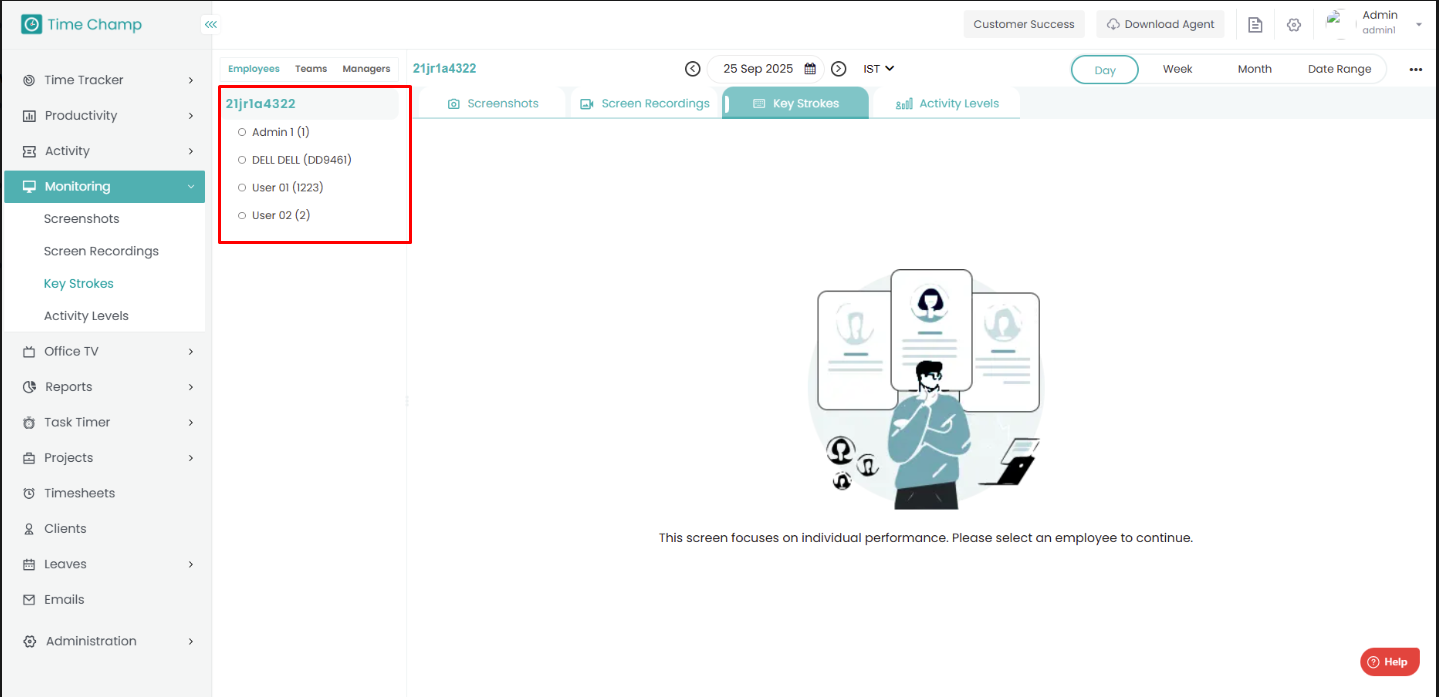
You can also filter the data by date and time zone for more specific insights.
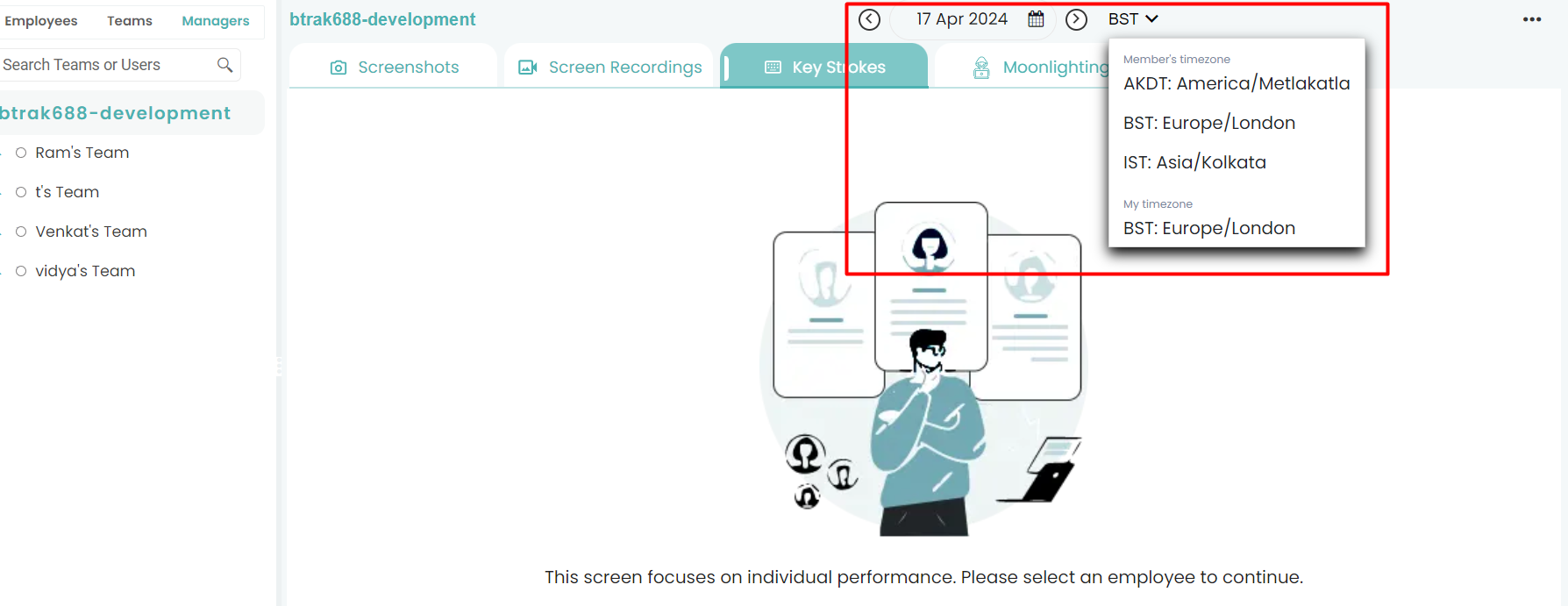
You can view keystroke data based on:
Employees
Teams
Managers
You can also filter the data by date and time zone for more specific insights.
Related Articles
How to View Activity Levels
Follow the steps below to navigate and view Activity Levels under the Monitoring section: Step 1: Log in to your Time Champ account. From the left-hand menu, click on Monitoring. Step 2: Under Monitoring, click on Activity Levels. In this section, ...How to View Live Screens
Follow the steps below to view employee live screens under the Office TV module in Time Champ: Step 1: Before viewing live screens, ensure that Live Streaming is enabled under Configurations in the Administration module. Step 2: From the left-hand ...How to View Screen Recordings
Follow the steps below to navigate Screen Recordings under the Monitoring section: Step 1: Log in to your Time Champ account. From the left-hand menu, click on Monitoring. Step 2: Under Monitoring, click on Screen Recording. Here, you can view the ...How to View Screen Shots
To navigate the Screenshots in Monitoring: Step 1: Log in to your Time Champ account. From the left-hand menu, click on Monitoring. Step 2: Under the Monitoring section, click on Screenshots. Here, you can view desktop images captured from users’ ...How to View Activity based on Categories
Follow the steps below to navigate and view user activity categorized under the Activity module: Step 1: Log in to your Time Champ account. From the left-hand menu, click on the Activity module. Step 2: Click on By Categories. Step 3: Here, you can ...