How to Edit User details (Name, User ID, Username, User Email, Mobile Number, Role, Team Name, Department, Line Manager, Location, Time Zone)?
Follow the steps to edit user details.
Step 1:
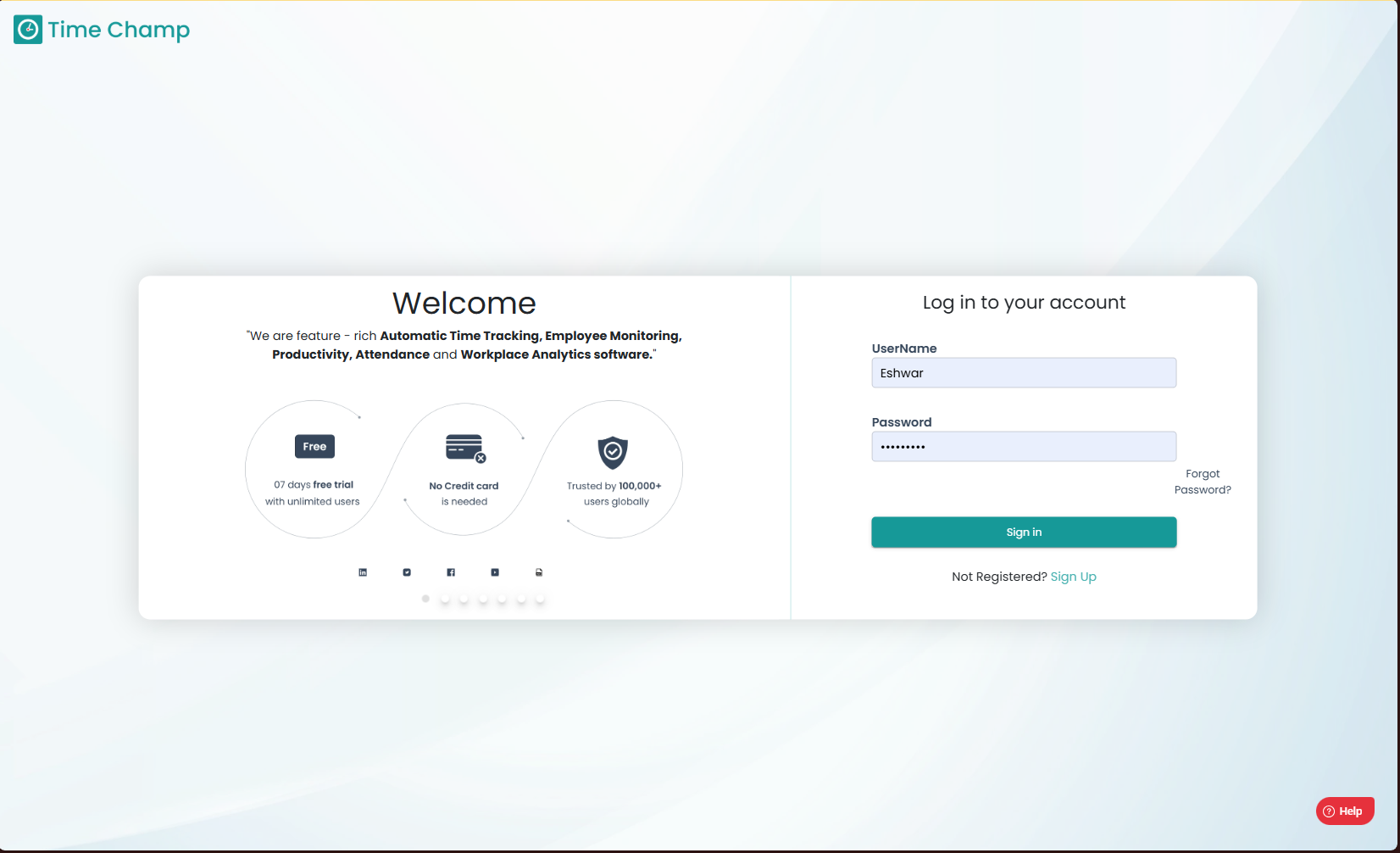
Log into the site utilizing your credentials.
Step 1:
Log into the site utilizing your credentials.
Step 2:
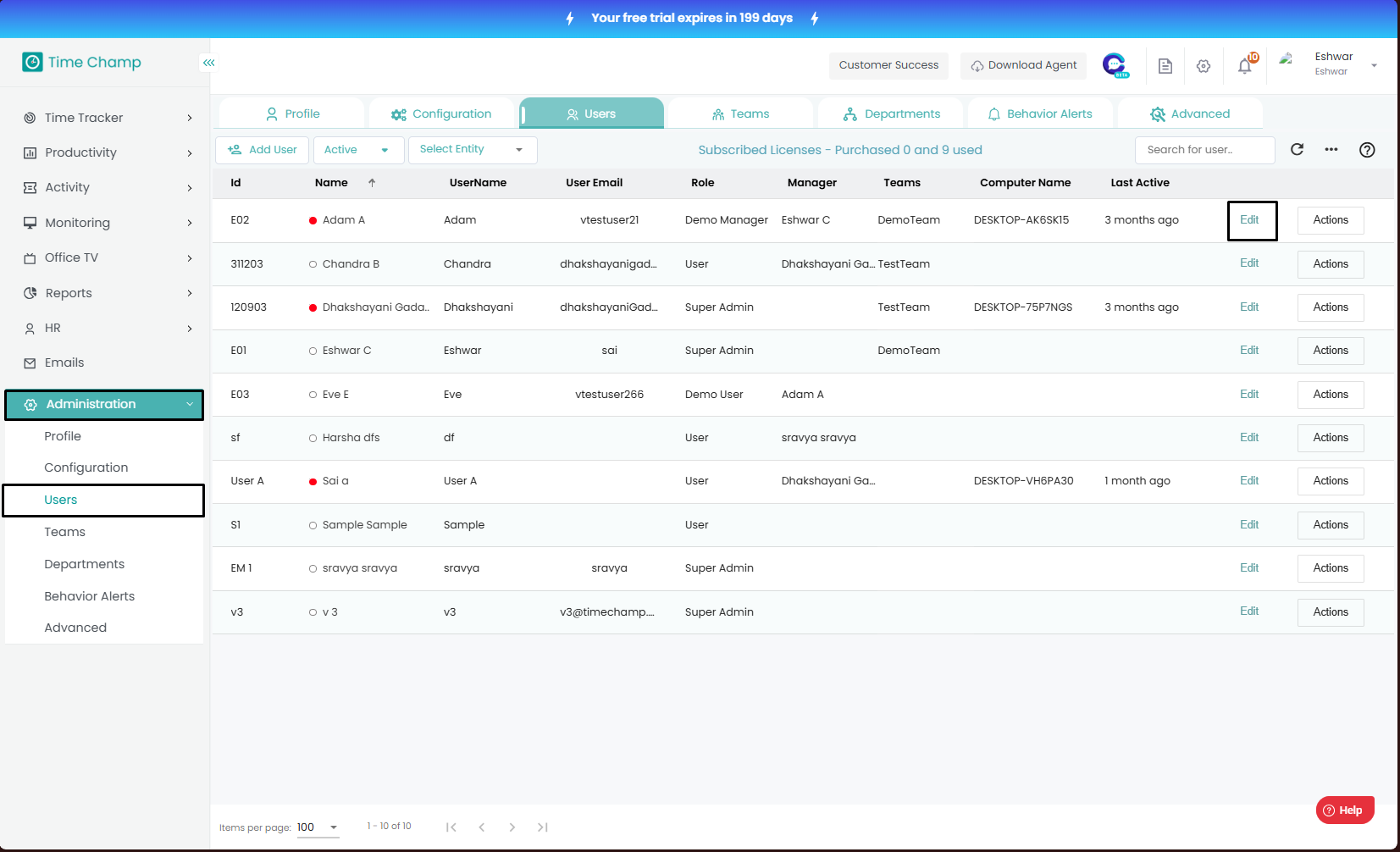
Navigate to the Administration Module and then to the Users section.
Navigate to the Administration Module and then to the Users section.
Step 3:
Now you can click Edit as shown in the highlighted area in the below image.
Step 4:
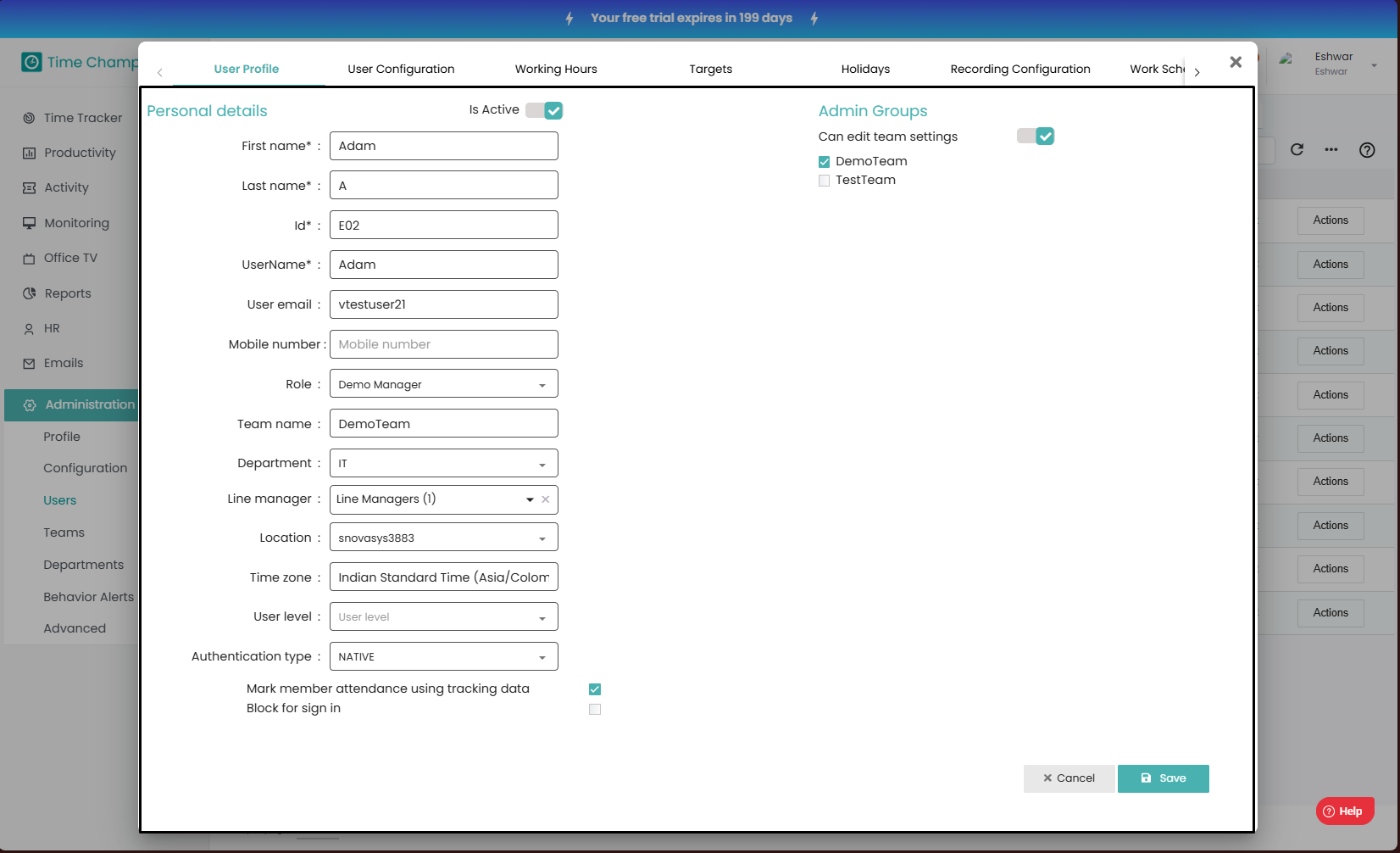
Now you can modify the required details.
Now you can click Edit as shown in the highlighted area in the below image.
Step 4:
Now you can modify the required details.

Ensure that all modifications are saved upon completion; unsaved changes will not take effect.
Related Articles
How to Assign Line Manager to Users?
Follow the steps to add a line manager to a user. Step 1: Log into the site utilizing your credentials. Step 2: Navigate to the Administration Module and then to the Users section. Step 3: Now you can view the edit user option in the highlighted area ...How to create a team and add members to the team and assign a user as team leader/Manager?
Follow the steps to create a team and assign members to the team and assign a person as team lead or manager. Step 1: Log into the site utilizing your credentials. Step 2: Navigate to the Administration Module and then to the Teams section. Step 3: ...How to edit a Department?
Follow the steps to edit a department. Step 1: Log into the site utilizing your credentials. Step 2: Navigate to the Administration Module and then to the Departments section. Step 3: Now you can view the edit department option in the highlighted ...How to Change User Role?
Follow the steps to edit user role. Step 1: Log into the site utilizing your credentials. Step 2: Navigate to the Administration Module and then to the Users section. Step 3: Now you can click Edit as shown in the highlighted area in the below image. ...How to Change User Department?
Follow the steps to edit user department. Step 1: Log into the site utilizing your credentials. Step 2: Navigate to the Administration Module and then to the Users section. Step 3: Now you can click Edit as shown in the highlighted area in the below ...