How to View Websites Visited by the User
Follow the steps below to navigate and view the list of websites visited by users under the Activity module:
Step 1:
Log in to your Time Champ account.
Step 1:
Log in to your Time Champ account.
From the left-hand menu, click on the Activity module.
Step 2:
Click on Websites Visited.
Click on Websites Visited.
Step 3:
Here, you can view:
Here, you can view:
All the websites visited by users.
The time spent on each website.
The percentage of time spent relative to total active time.
Step 4:
You can view the activity at three levels:
Employees
Teams
Managers
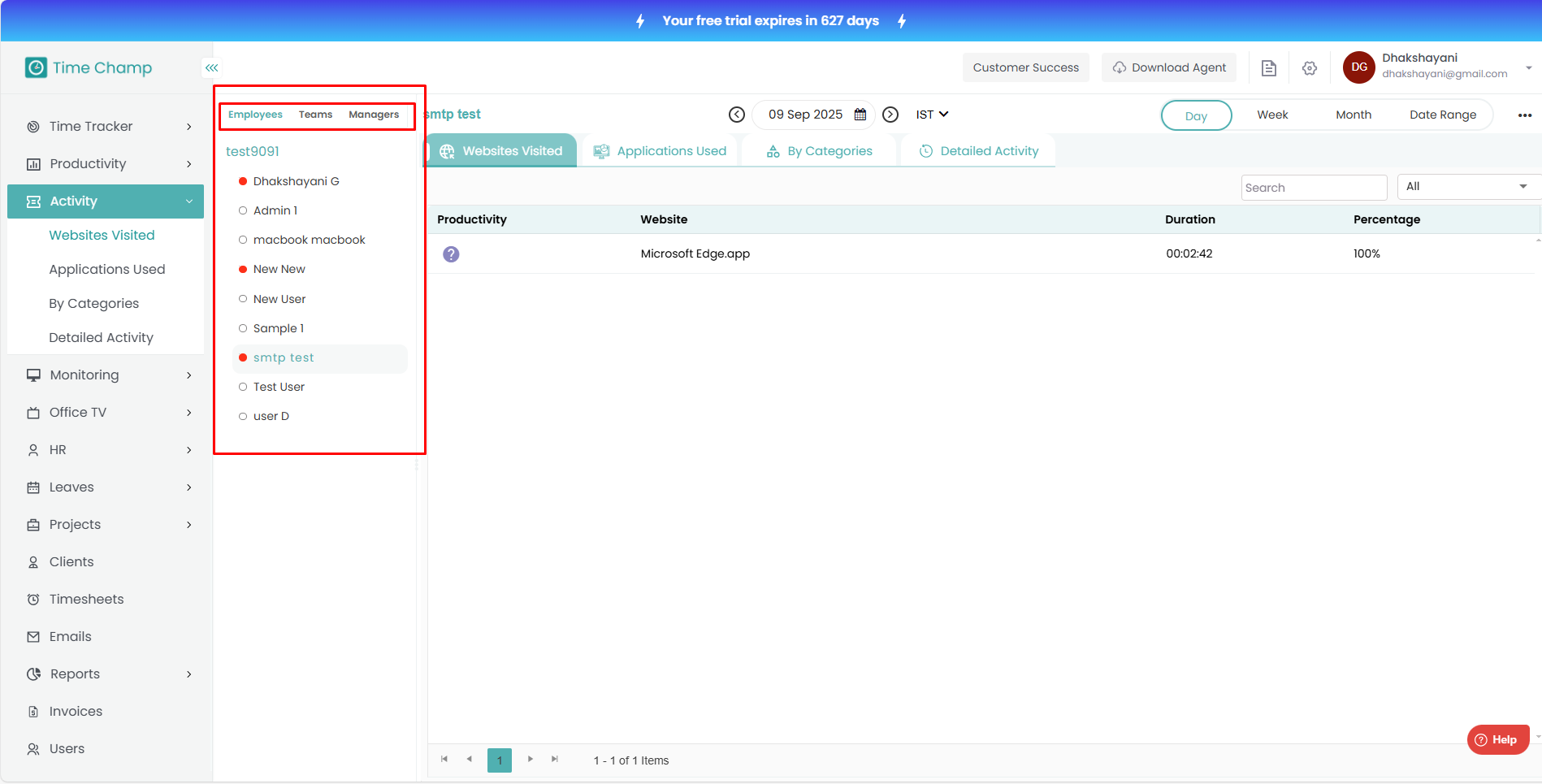
You can view the activity at three levels:
Employees
Teams
Managers
Related Articles
How to View Activity based on Categories
Follow the steps below to navigate and view user activity categorized under the Activity module: Step 1: Log in to your Time Champ account. From the left-hand menu, click on the Activity module. Step 2: Click on By Categories. Step 3: Here, you can ...How to View Detailed Activity of the User
Follow the steps below to navigate and view detailed user activity under the Activity module: Step 1: Log in to your Time Champ account. From the left-hand menu, click on the Activity module. Step 2: Click on Detailed Activity. Step 3: Here, you can ...How to view dashboard in V3
Follow the steps below to access and understand the Dashboard in your Time Champ account: Step 1: Open the Time Champ website. After logging in, click on Time Tracker from the main menu. Under Time Tracker, select Dashboard. Step 2: The Dashboard ...How to View Applications Used by the User
Follow the steps below to navigate and view the list of applications used by users under the Activity module: Step 1: Log in to your Time Champ account. From the left-hand menu, click on the Activity module. Step 2: Click on Applications Used. Step ...How to View Key Strokes
Follow the steps below to navigate and view Keystrokes under the Monitoring section: Step 1: Log in to your Time Champ account. From the left-hand menu, click on Monitoring. Step 2: Under Monitoring, click on Keystrokes. In this section, you can view ...