How to add users to a Team?
Follow the steps to add a user to a team.
Step 1:
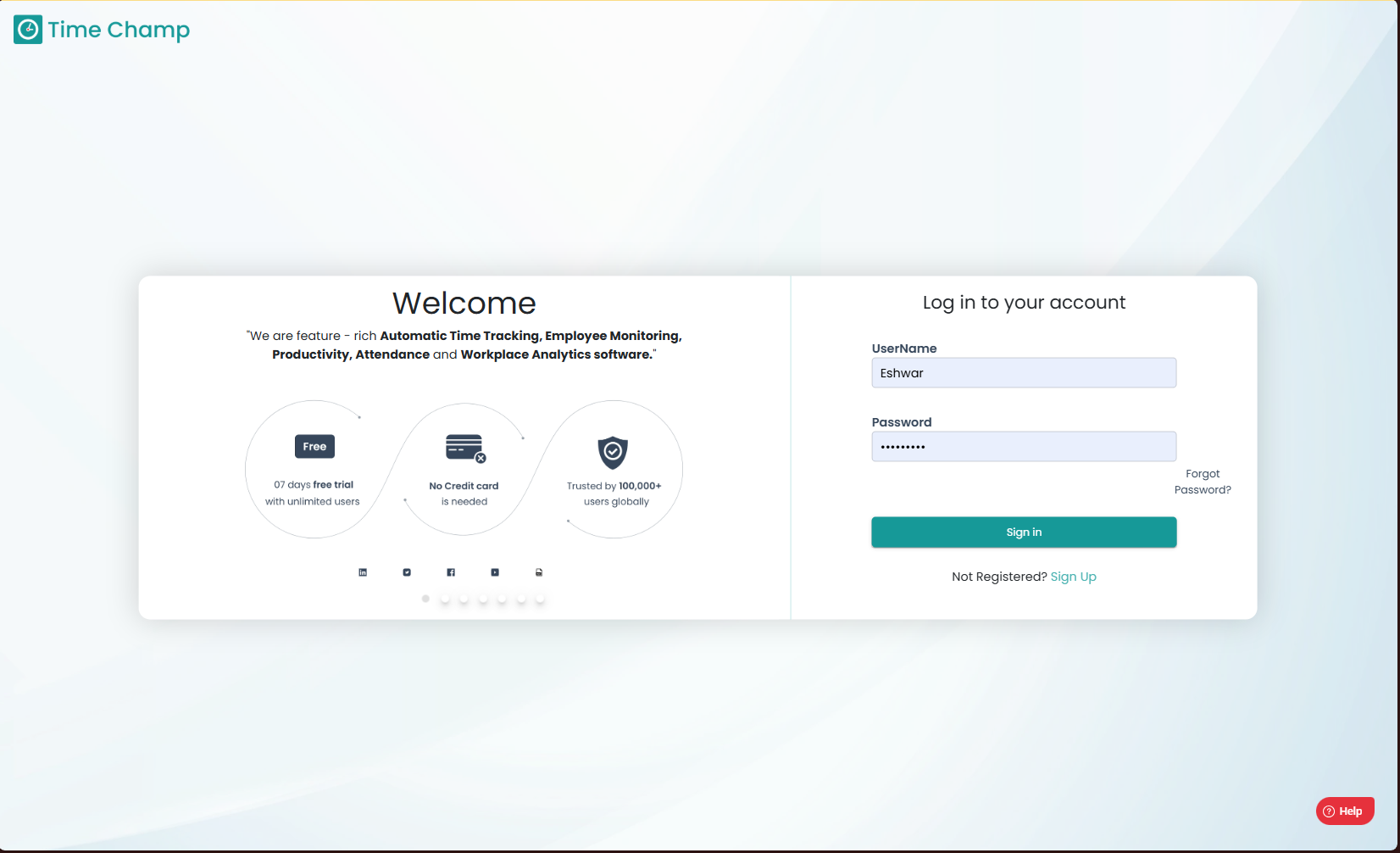
Log into the site utilizing your credentials.
Step 1:
Log into the site utilizing your credentials.
Step 2:
Navigate to the Administration Module and then to the Teams section.
Navigate to the Administration Module and then to the Teams section.
Step 3:
Now you can view the edit option in the highlighted area in the below image.
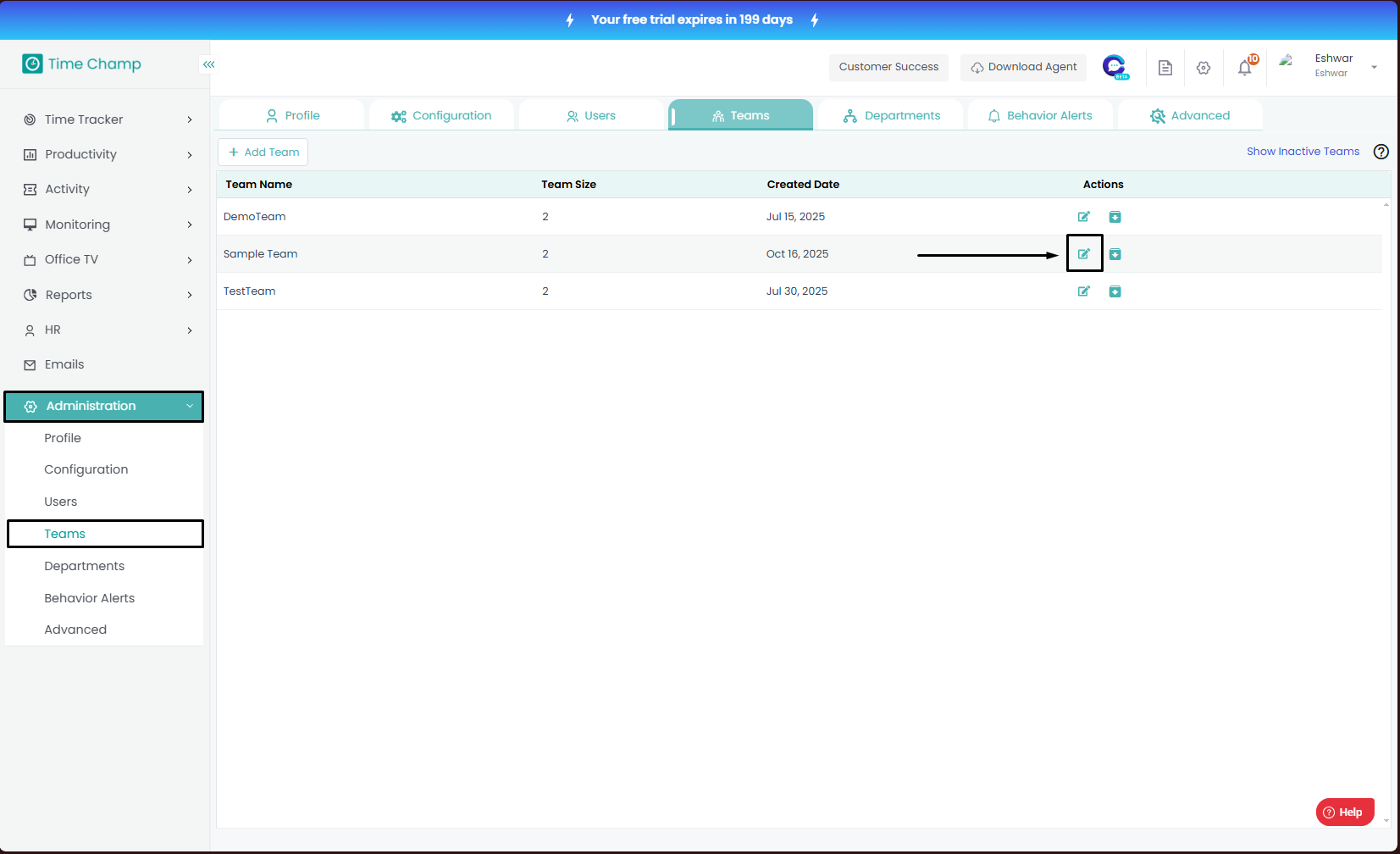
Now you can view the edit option in the highlighted area in the below image.
Step 4:
Now you select the add team member option as shown in the highlighted area in the below image.
Step 5:
Now you can select the users and click on add to add these users into the team.
Related Articles
How to create a team and add members to the team and assign a user as team leader/Manager?
Follow the steps to create a team and assign members to the team and assign a person as team lead or manager. Step 1: Log into the site utilizing your credentials. Step 2: Navigate to the Administration Module and then to the Teams section. Step 3: ...How to remove users from a Team?
Follow the steps to add a user to a team. Step 1: Log into the site utilizing your credentials. Step 2: Navigate to the Administration Module and then to the Teams section. Step 3: Now you can view the edit option in the highlighted area as shown in ...How to add Users?
Follow the steps to add a user. Step 1: Log into the site utilizing your credentials. Step 2: Navigate to the Administration Module and then to the Users section. Step 3: Now you can view the add user option in the highlighted area. Upon clicking you ...How to Add a Team?
Follow the steps to add a team. Step 1: Log into the site utilizing your credentials. Step 2: Navigate to the Administration Module and then to the Teams section. Step 3: Now you can view the add team option in the highlighted area as shown in the ...How to add multiple users and bulk add users using excel file?
Follow the steps to bulk add users. Step 1: Log into the site utilizing your credentials. Step 2: Navigate to the Administration Module and then to the Users section. Step 3a: Now you can view the add user option in the highlighted area. Upon ...