How to Add, Edit, or Delete Holidays
Follow the steps below to manage holidays under the Administration module:
Step 1:
Log in to your Time Champ account.
Step 1:
Log in to your Time Champ account.
From the left-hand menu, click on the Administration module.
Step 2:
Under Administration, click on Advanced.
Under Administration, click on Advanced.
Step 3:
Choose Holidays from the available options.
Choose Holidays from the available options.
Step 4:
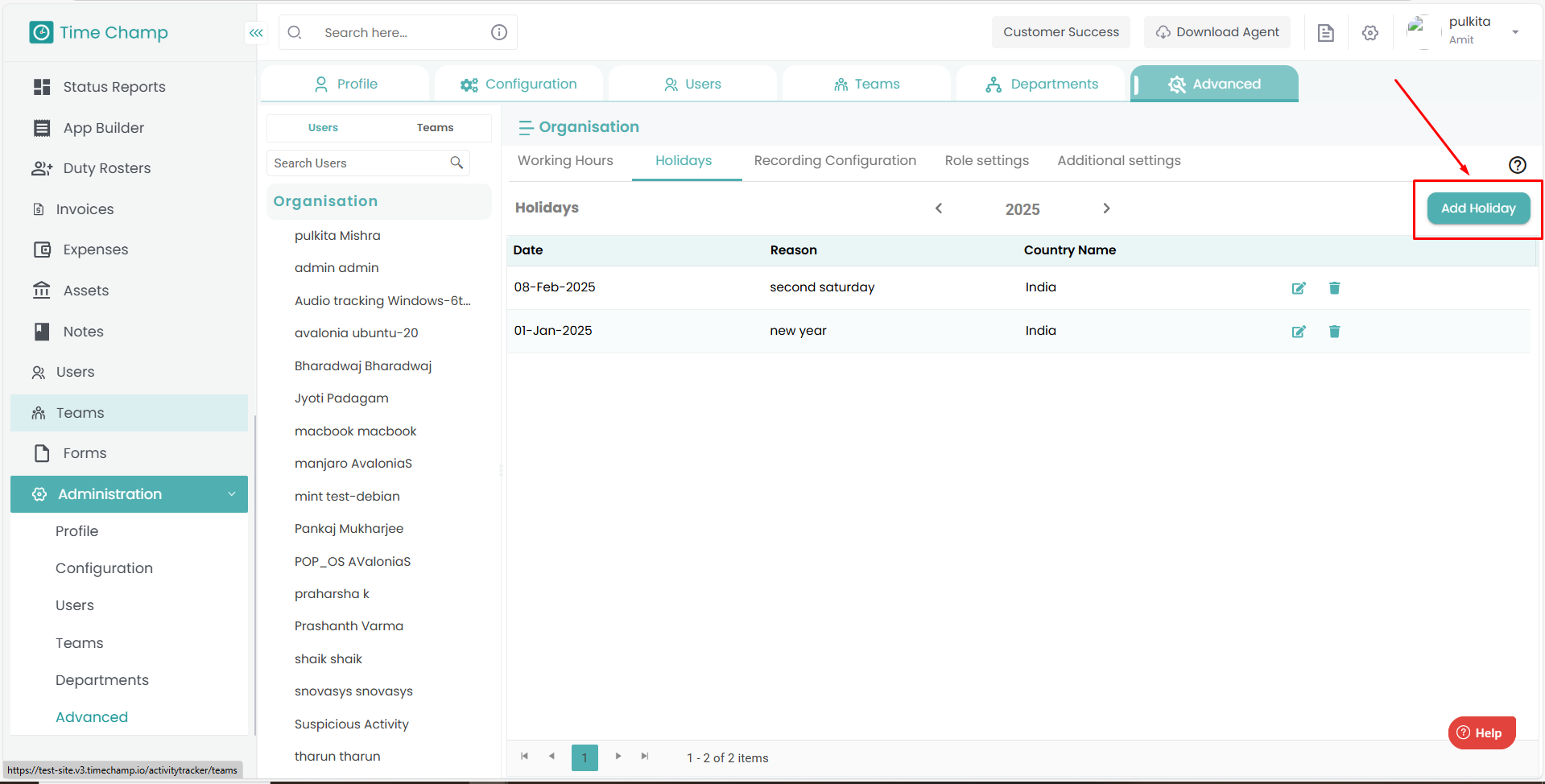
Click on Add Holiday.
Provide the holiday details (name, date, description).
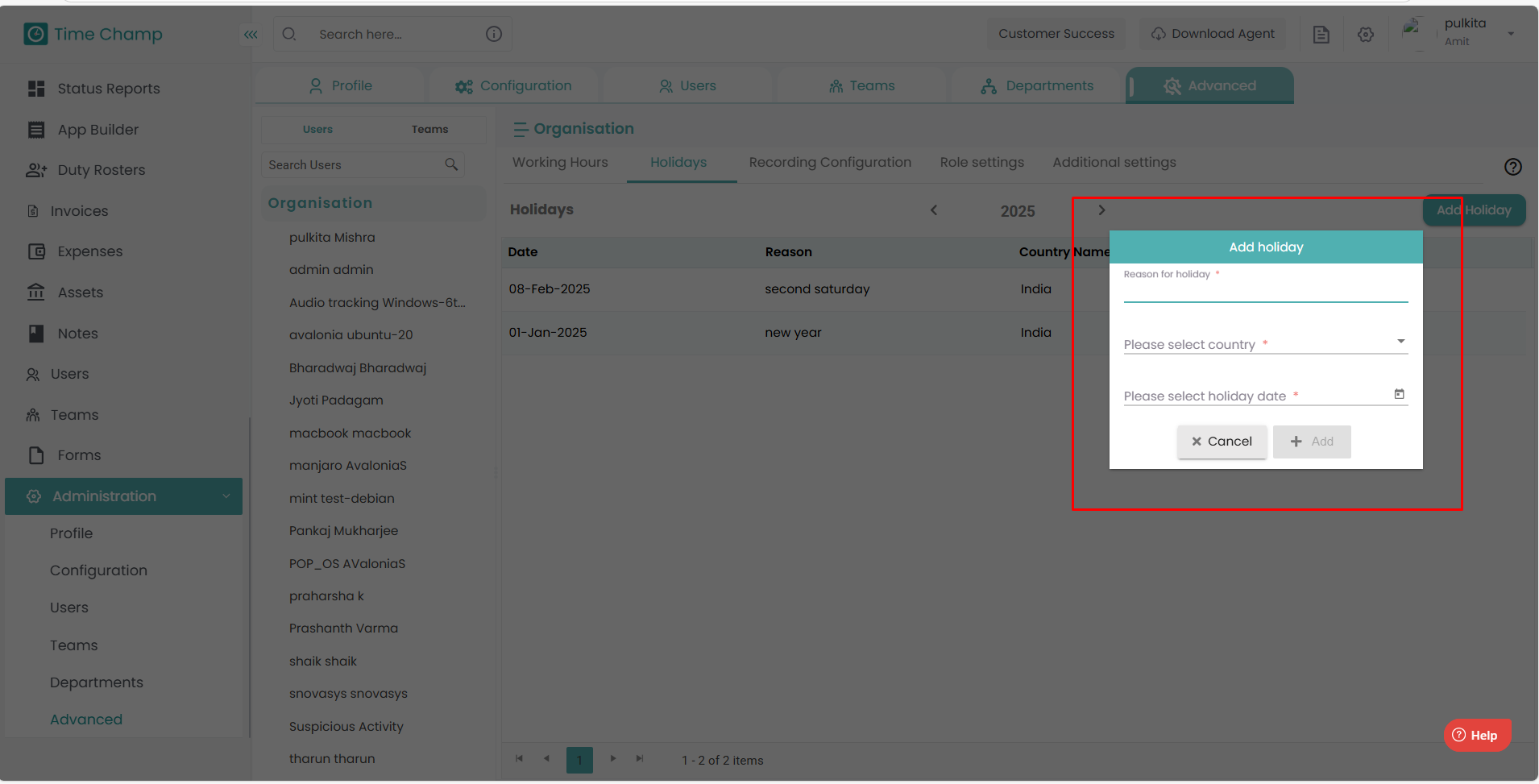
Click on Add to save.
Step 5:
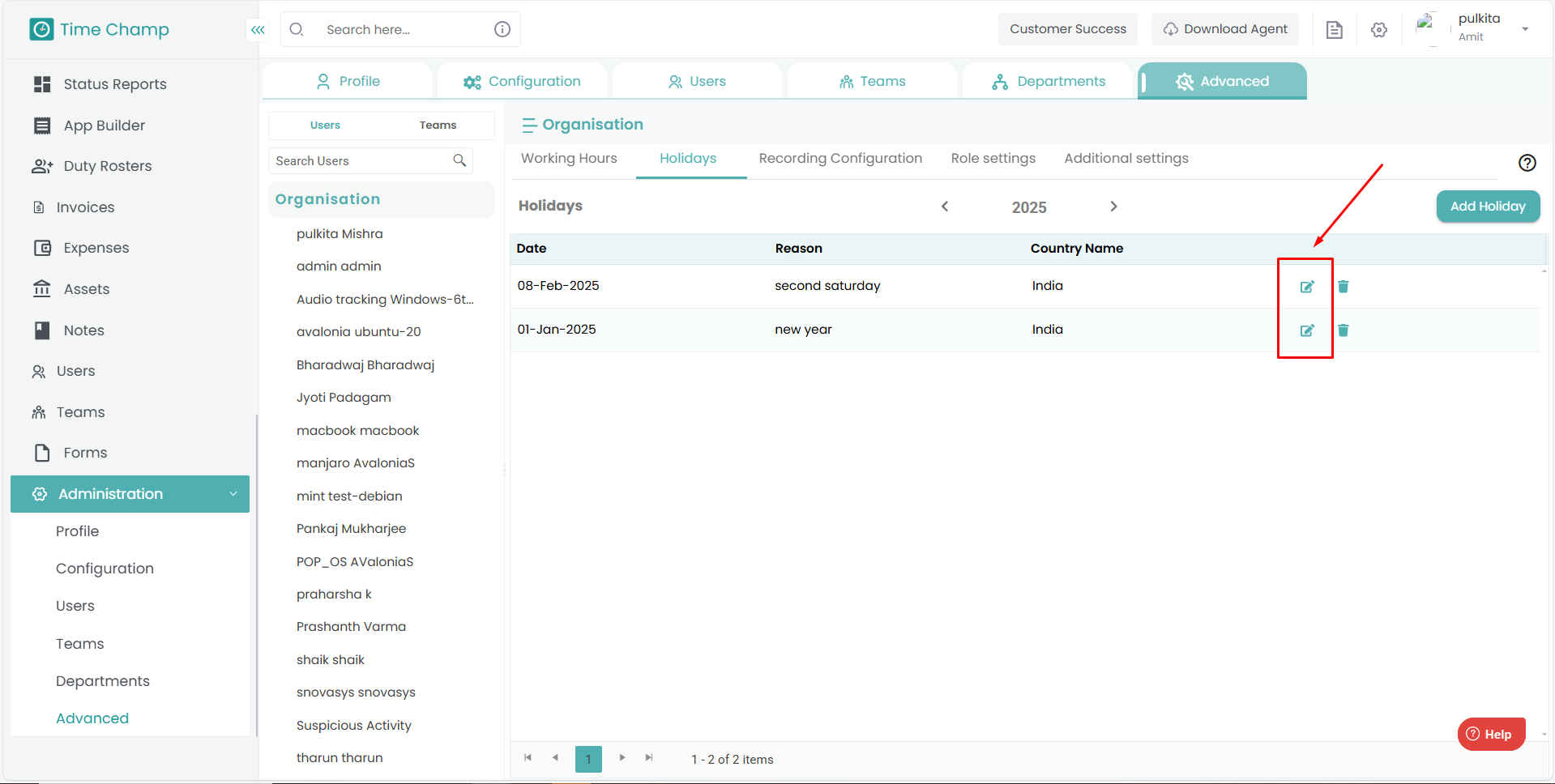
To modify existing holiday details, click on the Edit option beside the holiday name, make the necessary changes, and click Save.
Step 6:
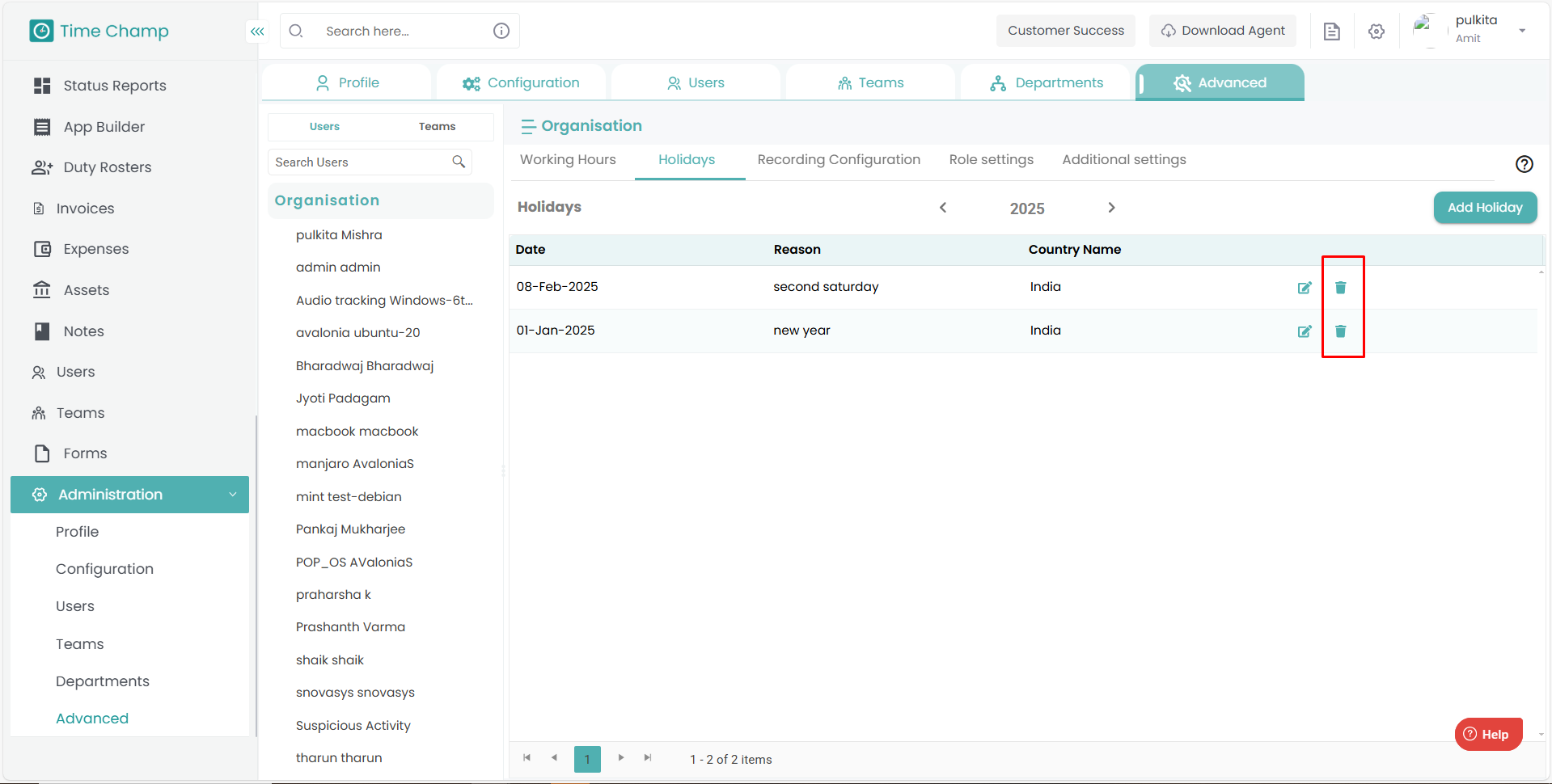
To remove a holiday, click on the Delete option beside the holiday entry.
Click on Add Holiday.
Provide the holiday details (name, date, description).
Click on Add to save.
Step 5:
To modify existing holiday details, click on the Edit option beside the holiday name, make the necessary changes, and click Save.
Step 6:
To remove a holiday, click on the Delete option beside the holiday entry.
Related Articles
How to Add, Edit, or Archive a department
Follow the steps below to manage departments under the Administration module: Step 1: Log in to your Time Champ account. From the left-hand menu, click on the Administration module. Step 2: Under Administration, click on Departments. Step 3: Click on ...How to Add and Manage Teams
Follow the steps below to create a new team and manage team members under the Administration module: Step 1: Log in to your Time Champ account. From the left-hand menu, click on the Administration module. Step 2: Under the Administration module, ...How to deactivate and delete a user
Follow the steps below to deactivate and delete a user under the Administration module: Step 1: Log in to your Time Champ account. From the left-hand menu, click on the Administration module. Step 2: Under the Administration module, click on Users. ...How to Edit time in Attendance
Follow the steps below to edit the time of a user in the Attendance section of the Time Champ application. Step 1: Log in to your Time Champ account using your credentials. Step 2: Go to the Time Tracker Module, then click on the Attendance section. ...How to add users manually
Follow the steps below to add a new user and manage existing users under the Administration module: Step 1: Log in to your Time Champ account. From the left-hand menu, click on the Administration module. Step 2: Under the Administration module, click ...