How to Add, Edit, or Archive a department
Follow the steps below to manage departments under the Administration module:
Step 1:
Log in to your Time Champ account.
From the left-hand menu, click on the Administration module.
Step 2:
Under Administration, click on Departments.
Step 3:
Click on Add Department
Step 4:
Enter the Department Name.
Click on Add to save the department.
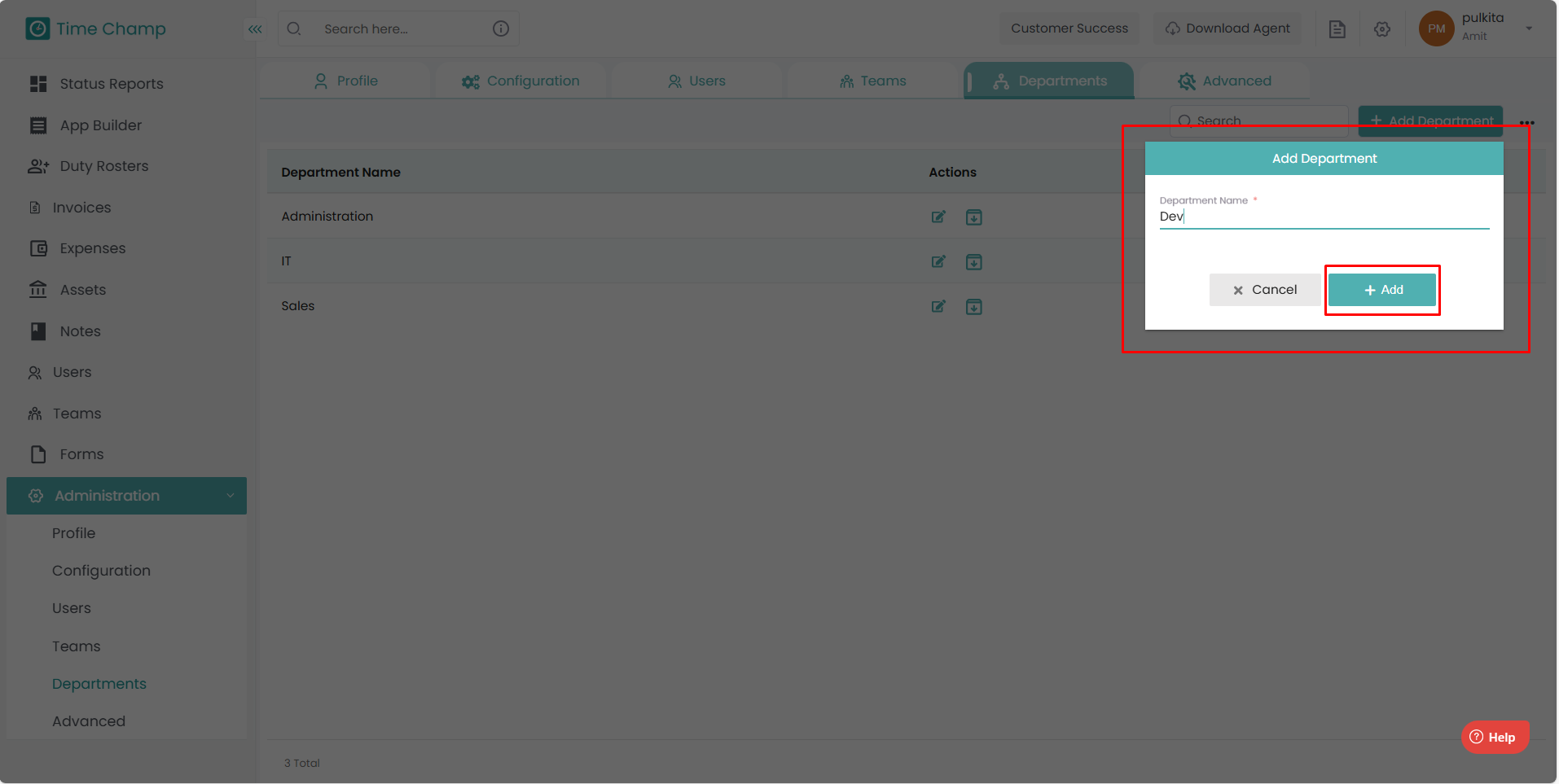
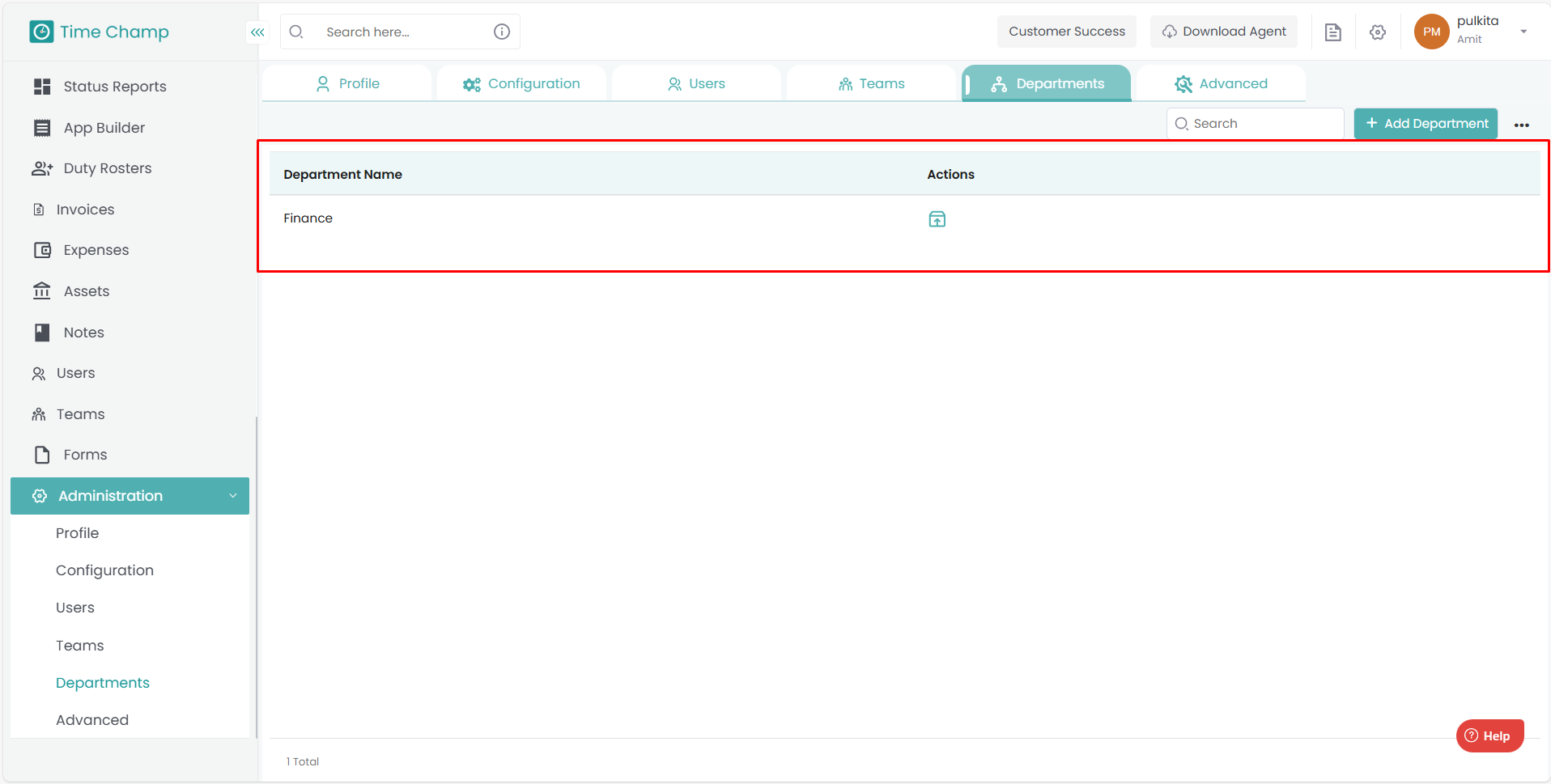
The newly added department will now appear in the list.
Step 4: Edit a department
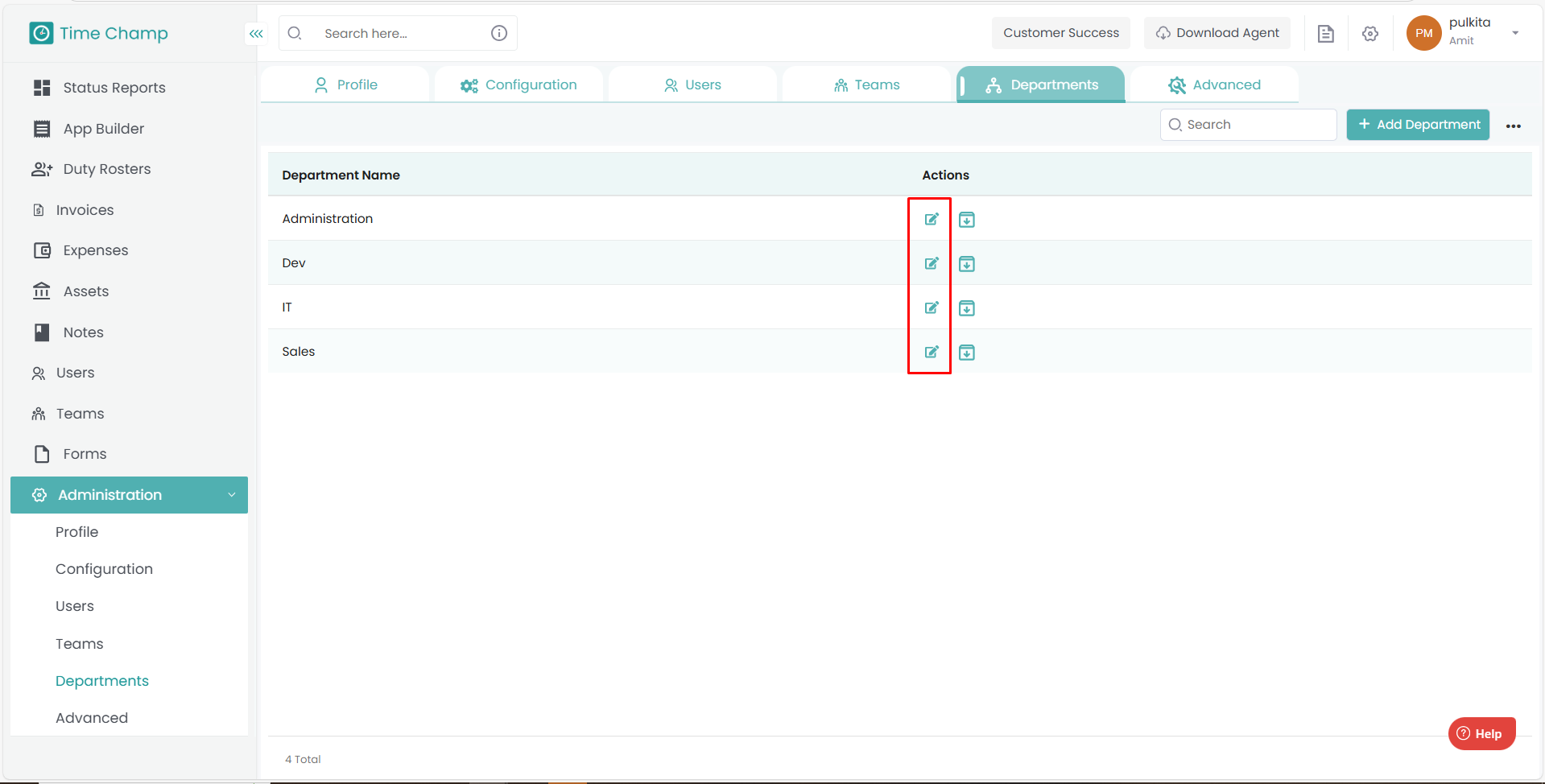
To modify the department name, click on the Edit option beside the department and make the necessary changes.
Step 5: Archive a department
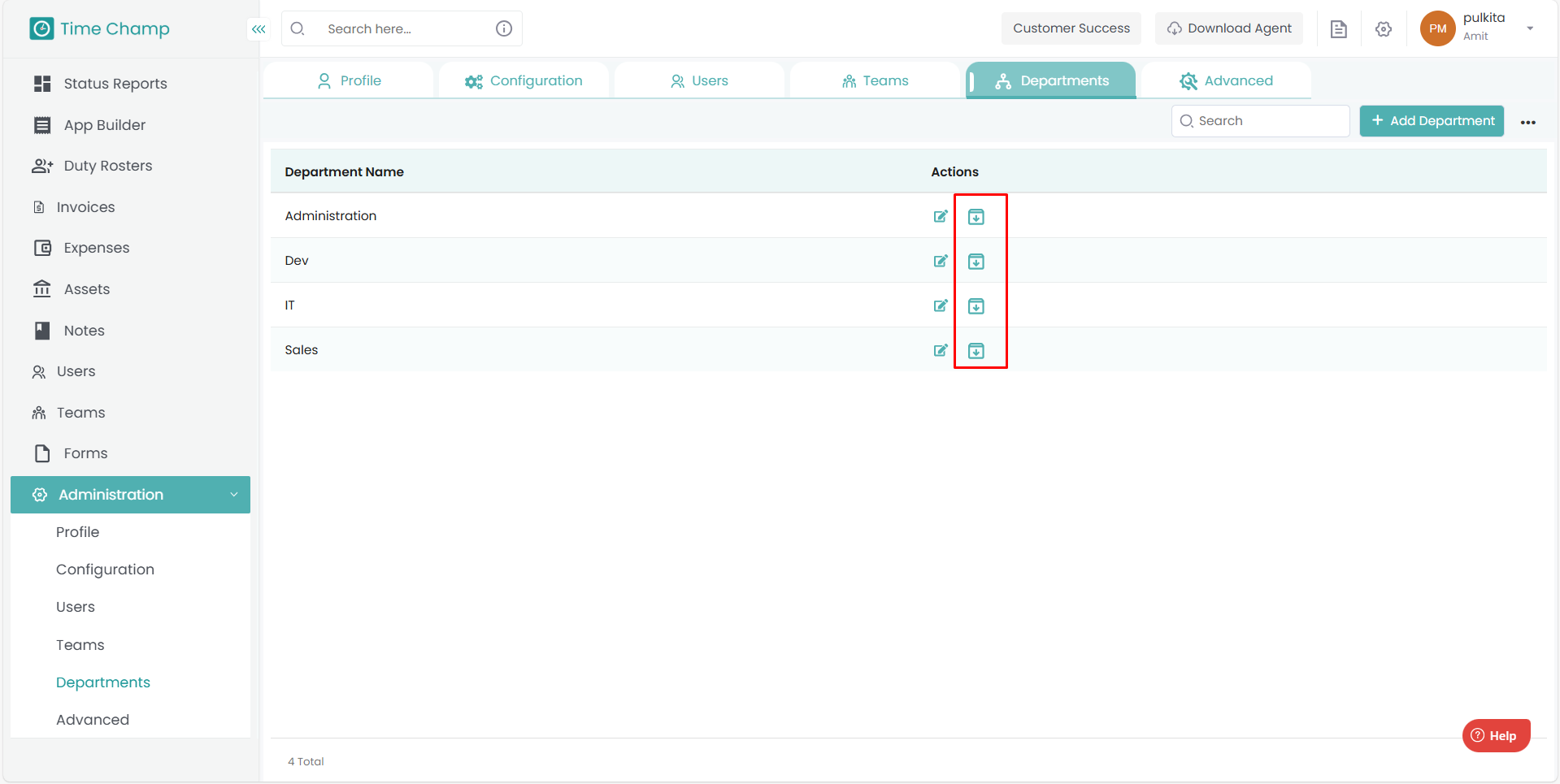
To archive a department, click on the Archive option beside the department name.
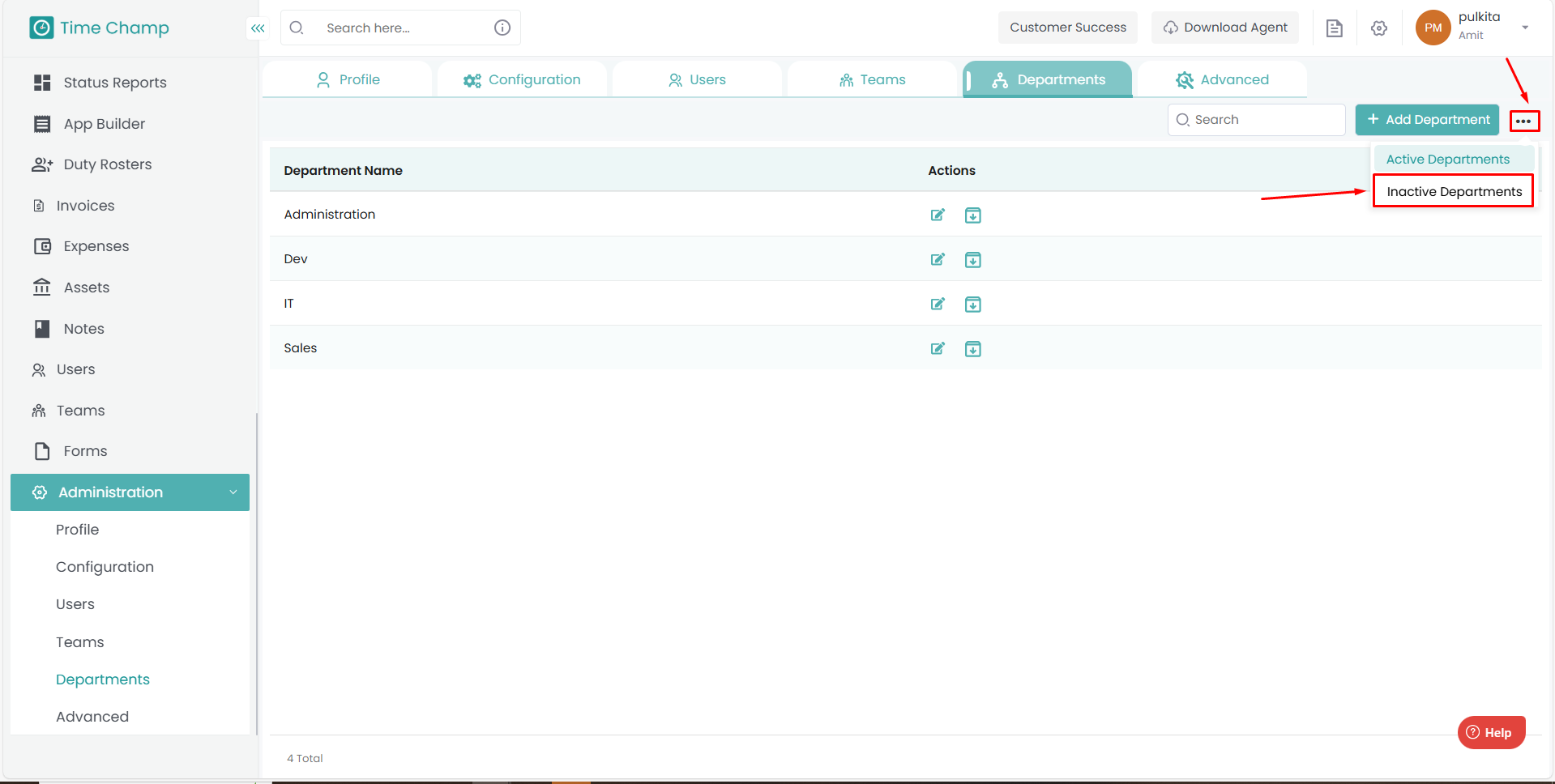
To view archived departments, click on the three dots at the top-right corner and select Inactive Departments.
You can see all archived departments under the Inactive Departments tab.
Enter the Department Name.
Click on Add to save the department.
The newly added department will now appear in the list.
Step 4: Edit a department
To modify the department name, click on the Edit option beside the department and make the necessary changes.
Step 5: Archive a department
To archive a department, click on the Archive option beside the department name.
To view archived departments, click on the three dots at the top-right corner and select Inactive Departments.
You can see all archived departments under the Inactive Departments tab.
Related Articles
How to Add, Edit, or Delete Holidays
Follow the steps below to manage holidays under the Administration module: Step 1: Log in to your Time Champ account. From the left-hand menu, click on the Administration module. Step 2: Under Administration, click on Advanced. Step 3: Choose ...How to Add and Manage Teams
Follow the steps below to create a new team and manage team members under the Administration module: Step 1: Log in to your Time Champ account. From the left-hand menu, click on the Administration module. Step 2: Under the Administration module, ...How to Edit time in Attendance
Follow the steps below to edit the time of a user in the Attendance section of the Time Champ application. Step 1: Log in to your Time Champ account using your credentials. Step 2: Go to the Time Tracker Module, then click on the Attendance section. ...How to add users manually
Follow the steps below to add a new user and manage existing users under the Administration module: Step 1: Log in to your Time Champ account. From the left-hand menu, click on the Administration module. Step 2: Under the Administration module, click ...How to Bulk Add Users
Follow the steps below to add multiple users at once using the Import/Export option under the Administration module: Step 1: Log in to your Time Champ account using your credentials. From the left-hand menu, click on the Administration module. Step ...