How to access and download Employee Break Deviations Reports?
Follow the steps to access and download the Employee Break Deviations Reports.
Step 1:
Log into the site utilizing your credentials.
Step 2:
Navigate to the Reports Module and then to the Time and Attendance section.
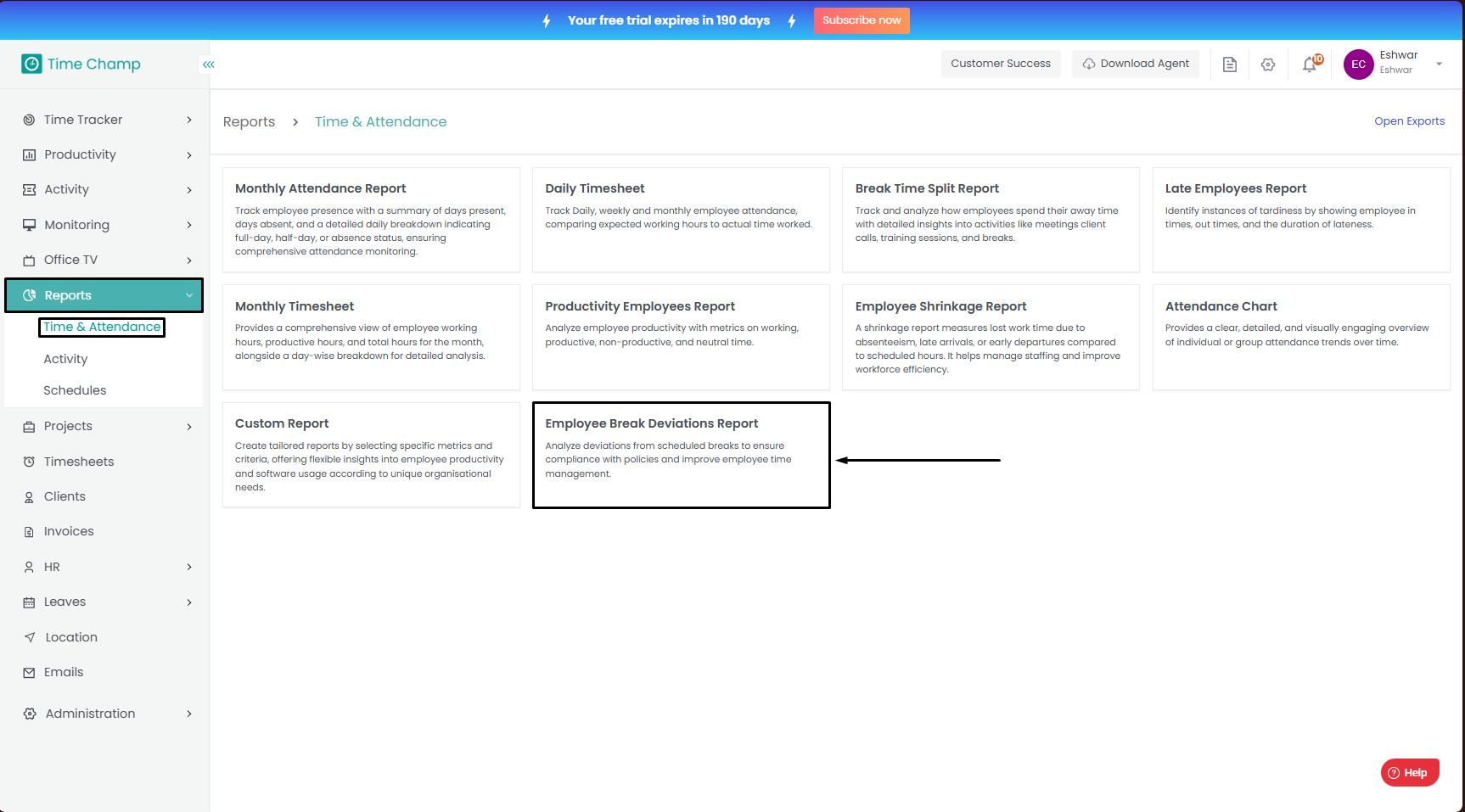
Navigate to the Reports Module and then to the Time and Attendance section.
Step 3:
After clicking on the Report, you can fill in the details as per your requirement and click on export to download the report.
After clicking on the Report, you can fill in the details as per your requirement and click on export to download the report.
Step 4:
Sample Report:
Sample Report:
Related Articles
How to access and download Break Time Split Report?
Follow the steps to access and download the Break Time Split Report. Step 1: Log into the site utilizing your credentials. Step 2: Navigate to the Reports Module and then to the Time and Attendance section. Step 3: After clicking on the Report, you ...How to access and download Custom Reports?
Follow the steps to access and download the Custom Reports. Step 1: Log into the site utilizing your credentials. Step 2: Navigate to the Reports Module and then to the Time and Attendance section. Step 3: After clicking on the Report, you can fill ...How to access and download Employee Shrinkage Report?
Follow the steps to access and download the Employee Shrinkage Report. Step 1: Log into the site utilizing your credentials. Step 2: Navigate to the Reports Module and then to the Time and Attendance section. Step 3: After clicking on the Report, you ...How to access and download Late Employees Report?
Follow the steps to access and download the Late Employees Report. Step 1: Log into the site utilizing your credentials. Step 2: Navigate to the Reports Module and then to the Time and Attendance section. Step 3: After clicking on the Report, you can ...How to access and download Daily TimeSheet?
Follow the steps to access and download the Daily TimeSheet. Step 1: Log into the site utilizing your credentials. Step 2: Navigate to the Reports Module and then to the Time and Attendance section. Step 3: After clicking on the Report, you can fill ...